From his Hallmark Guanella, Adam Zolyak has tested every Starlink dish, data plan, and modification and shares his expertise at Overland Expos across the country. Here’s how Starlink has rewritten the rules of being online off-grid. Let the Starlink Masterclass begin.
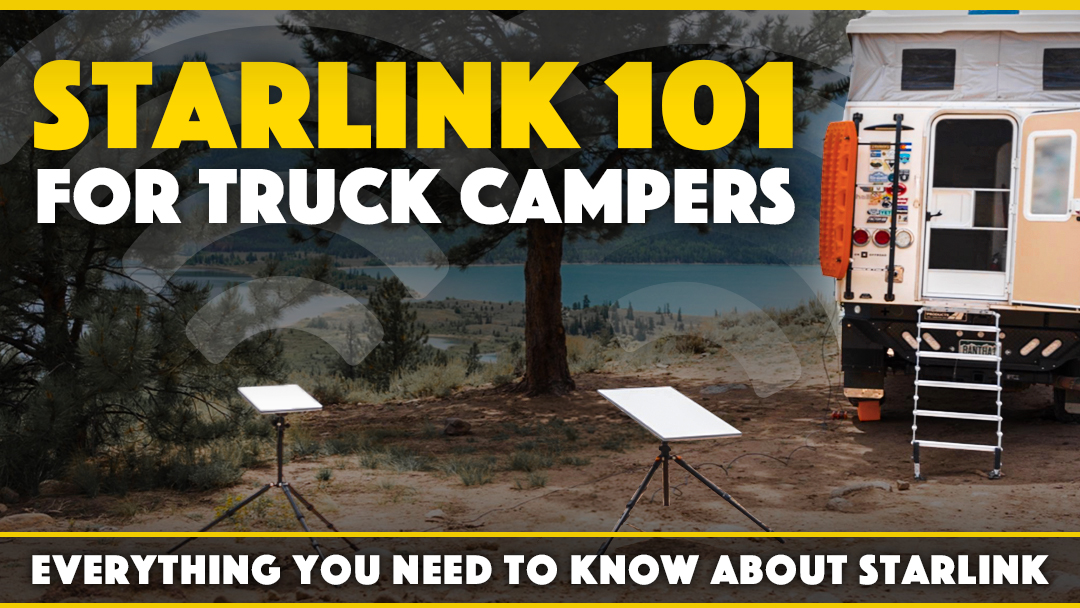
We all know that moment—one last turn onto a dirt road and there goes your final bar of cell service. For many truck campers, that’s exactly the point. But for others, staying connected means an extra week on the road instead of coming home on Sunday night. It can also mean watching the Seahawks win the Super Bowl (sorry Pats fans) from a lawn chair in the desert with your best friends. To each their own.
Satellite internet has been around for decades, but what Starlink has pulled off is on another level from past offerings. Starlink provides fast, affordable, and global high-speed internet in a consumer-friendly, mobile package. As someone who has needed to pack up camp early in search of free WiFi at Starbucks to send a few emails, my interest is piqued.
Adam Zolyak knows this story firsthand. He and his wife, Val, bought a Hallmark Guanella and started testing Starlink as curious early adopters. Their goal was simple: use this technology to work remotely and extend their truck camping adventures. After many extended trips, several hardware generations, and enough hands-on experience to fill a masterclass, Adam had his answer. Not only does it work, but it works better than he ever expected.
What follows is a comprehensive Starlink guide written specifically for truck campers, straight from Adam’s years of real-world experience. Whether you’re learning from scratch, on the fence, or mid-setup, consider this your Starlink field manual.
How did you get into Starlink and eventually become a Starlink instructor at Overland Expo?
When we moved to Denver in 2013, we were both new to the vast public lands of the West. Once we found dispersed camping, we were hooked. My wife and I purchased our dream camper in 2018, a Hallmark Guanella, and began exploring further. Unfortunately, we found ourselves cutting trips short to get back to civilization with limited vacation time from work.
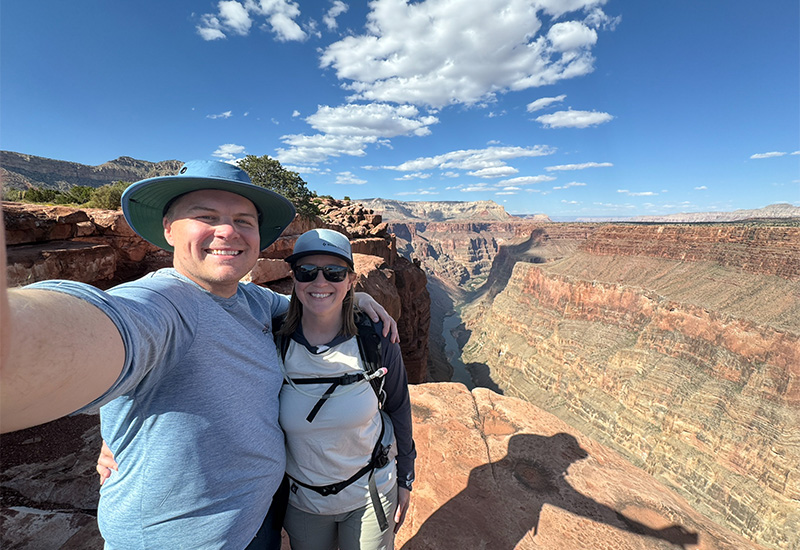
Adam and Val Zolyak overlooking the North Rim of the Grand Canyon.
Starlink caught my eye early on, but I wasn’t sure what to expect. During a summer sabbatical from work, we decided to take a gamble and purchased a Starlink, taking it on a multi-month road trip. Back then, information was scattered, and I was learning from first-hand experience. This trip proved the reliability of Starlink. We could use it from almost anywhere, stay connected with friends and family, and plan the trip ahead—check the weather, download offline maps, and make reservations.
I work as a contract software developer and Val works as a product manager for OnX Offroad. We each have limited vacation time, but our jobs can be accomplished remotely. As long as we can communicate via email, join in on meetings, and maintain our daily tasks, we can work from the road.
Years later, we have successfully worked remotely on dozens of extended trips, enabling us to travel further for longer. I have tested every Starlink hardware option and data plan, and customized our Hallmark to work exactly as we need. I’ve even created custom 3D-printed mounts and brackets to make things more convenient and reliable.
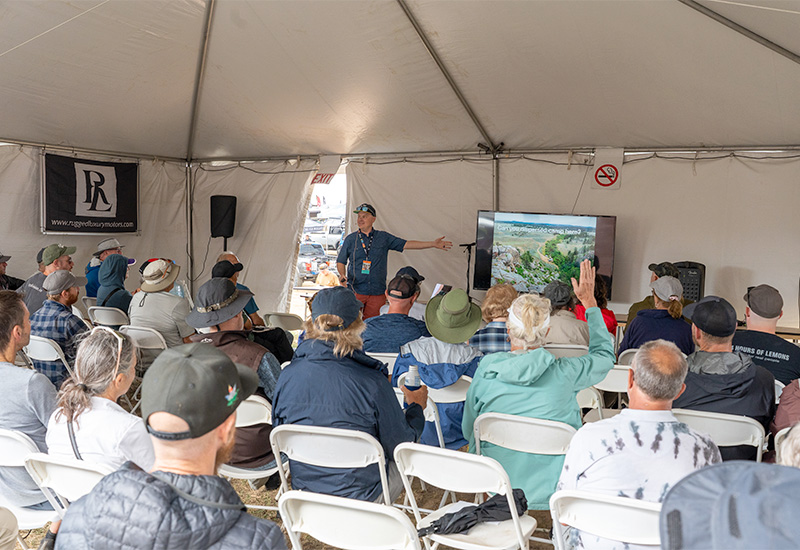
Adam teaching a Starlink class at Overland Expo
We have been going to Overland Expo since 2018. Each year, we learn something new from classes, industry folks, and conversations with fellow campers. With Starlink now widely available, I felt this would be a great chance to share my knowledge and give back to the community that has helped us so much. I also started sharing Starlink blog posts, educational YouTube videos, and even created a free eBook called The Starlink Field Guide.
How does Starlink’s infrastructure work? Please break it down for us.
Starlink is a satellite-based wireless internet service. Satellites are deployed by SpaceX Falcon 9 rockets and circle the Earth at 17,000 miles per hour. Unlike traditional satellites that orbit over 22,000 miles away, Starlink satellites orbit just 350 miles above Earth’s surface. This improves connection, speed, and latency.
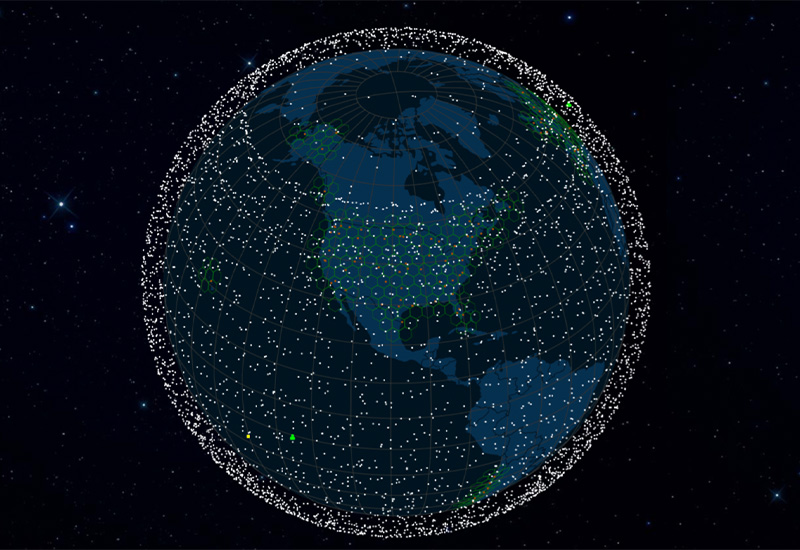
An illustration of Starlink satellites from satellitemap.space
Each user has a Starlink-provided dish that uses a 110-degree field of view to track satellites as they move across the sky. Once connected, the satellite passes data to a ground station. This station, or gateway, is the backbone of the internet’s fiber connection.
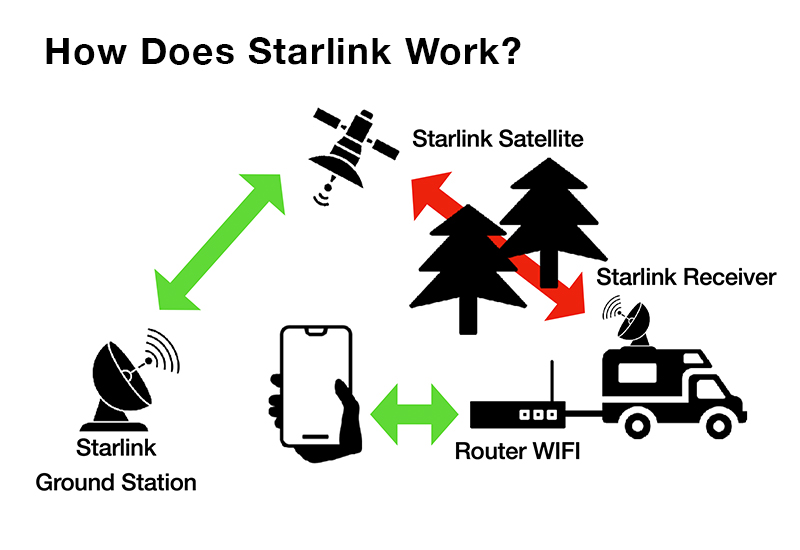
As a Starlink user, you need a hardware kit that includes a Starlink dish, a WiFi router, and a power supply. From the user perspective, Starlink will work just as your home internet. Once you connect to the system, your phone, computer, or tablet will automatically connect to the WiFi signal coming out of the router.
“The best feature of Starlink is having an on/off switch.”
Is Starlink better than a cell phone hotspot?
Yes. I’ve worked plenty off my cell phone’s hotspot, and a lot of the time it works great. The problem with cell towers is predictability in remote areas. If you want predictability nearly anywhere you go, you’re pretty much guaranteed to get a low-latency, fast connection with Starlink. The only time a cell phone tower will outperform is if you can’t get a clear view of the sky with your Starlink dish.
Is Starlink a proven and secure network? How many people are subscribed?
Starlink is as secure as any home internet. Data transmitted to and from Starlink equipment is encrypted. You can also utilize additional VPN technology for additional security if desired.
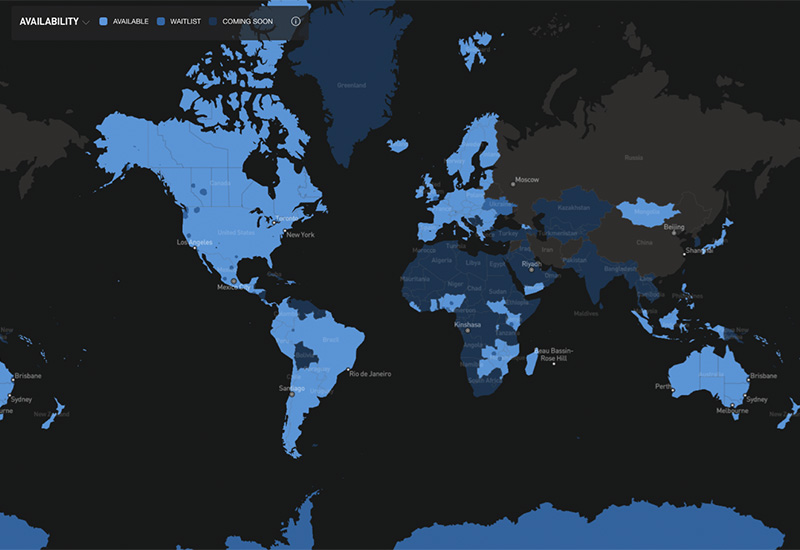
A Starlink coverage map from starlink.com
How many people are subscribed to Starlink?
Starlink has over 9,000 satellites in orbit and eight million subscribers. In 2025, there was widespread global adoption, and the users nearly doubled.
That’s incredible. What hardware options does Starlink offer?
There are two main hardware options being sold by Starlink right now—the Standard and the Mini. The key difference is that the Standard is a larger dish with an external router powered by 110-volt AC, while the Mini is about half the size, has an integrated router, and is powered by 12-volt DC or an included 110-volt AC adapter.
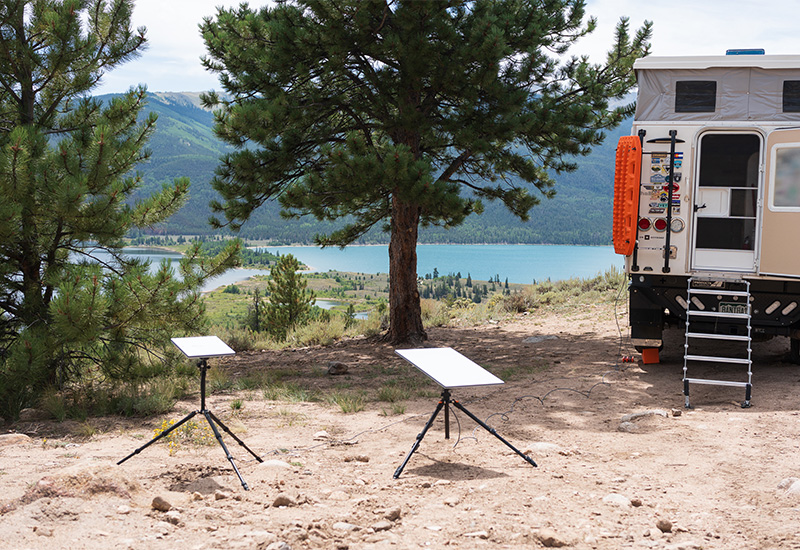
Sarlink Mini (left) and Starlink Standard (right).
Starlink Standard can achieve about double the internet speed of the Mini and has a stronger connection when using your device further from the router. However, I have used my Mini from 200 feet away. I’m not sure why you would need to be further than that, at least for my use cases around camp.
As for price, Starlink Standard is currently $369, and the Mini is $269. (All prices referenced in this article were recorded in March, 2026).
One of my most popular YouTube videos is a real-world comparison of Starlink Mini versus Standard at camp.
Is it complicated to set Starlink up and get connected to the internet?
I’m a big fan of the Starlink Mini for its small form factor and ease of use. Once you set it out in an unobstructed area and plug into a power source, you’re connected in less than a few minutes.
The Starlink Standard has a more complicated setup with a separate dish, router, and power supply connected by cables.
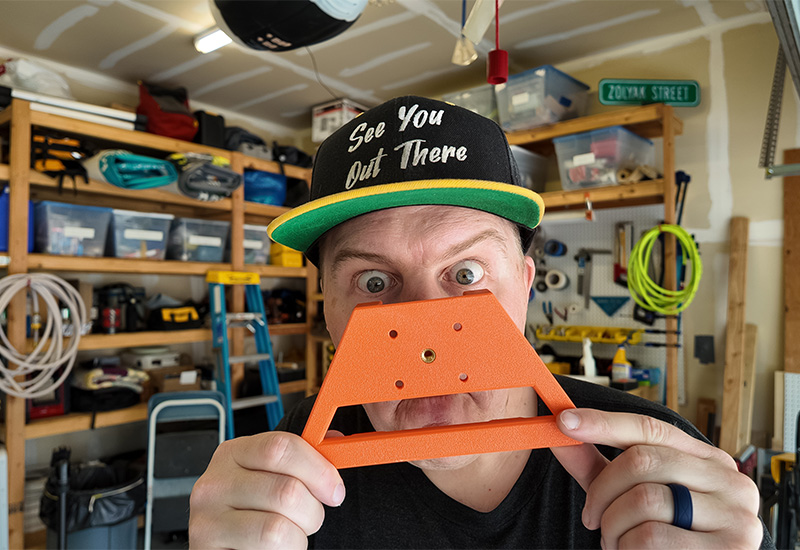
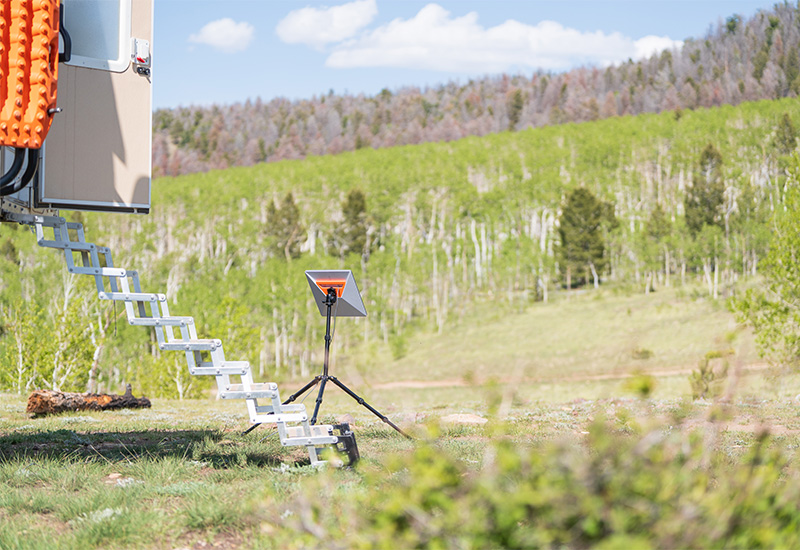
The easiest way to set up a Starlink is to mount it on a tripod with a ball head near your campsite. This makes it easy to adjust to get a clear view of the sky for a strong, reliable connection. That’s what inspired me to make my first Starlink tripod adapter.
What can someone expect for internet speed and quality?
The Starlink Standard will achieve download speeds up to 38MBps and upload speeds of about 4MBps. Starlink Mini is about half of that, offering up to 19MBps of download and 2MBps of upload. However, this is continually improving as Starlink launches more satellites.
I like to put this into perspective for what users can do with it. Either option will allow two people to make high-quality FaceTime calls, attend virtual meetings, browse the internet, download maps, stream movies, and communicate via email, text, and social media. For those who want to upload 4K video quickly, watch live sports in high resolution, or have more than two people connected at one time, you may want to look at the Starlink Standard.
As for the quality of the connection, without a clear view of the sky, you run the risk of interruptions and poor connections. Starlink recently introduced Beam Switching, which helps address this issue. Beam Switching mode directs the dish towards the clearest part of the sky with the best satellite connection. I’ve tested Beam Switching mode and have seen improvements, but a clear view of the sky is still a key factor for a quality connection.
What data service plans are offered, and what’s included in the monthly subscriptions?
Starlink offers two data plans: Roam 100GB for $50 and Roam Unlimited for $165. Both plans include countrywide coverage, in-motion use, two months of international travel, and coastal coverage up to twelve nautical miles off the coast.
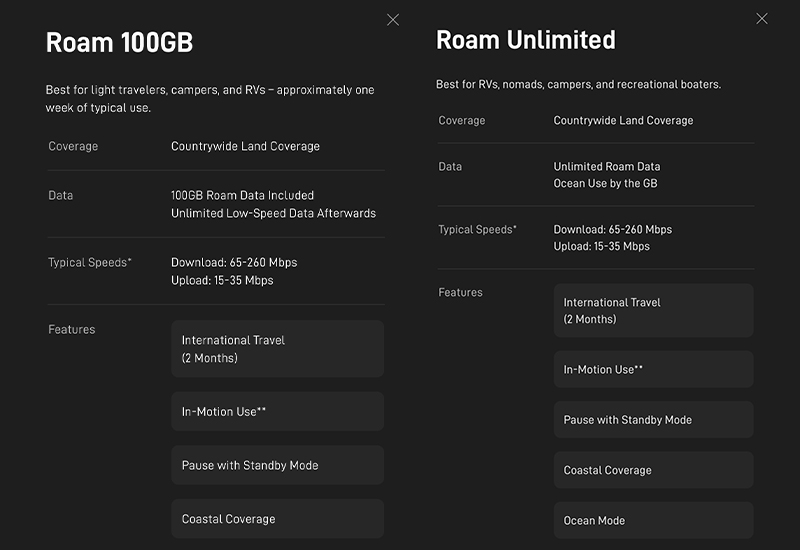
The Roam 100GB offers 100 gigabytes of full-speed upload and download internet use. Once you reach 100GB, your internet is throttled to very low speeds. Roam Unlimited is truly unlimited full-speed internet without any throttling or limitations. I created a chart that shows data usage by activity type.
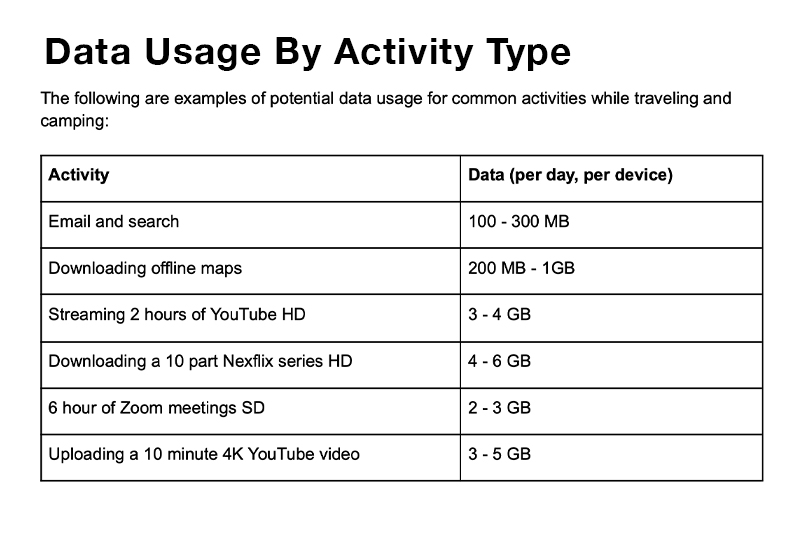
Based on my experience, I generally estimate 5GB per day for one to two people each using their phones and laptops for a few hours of work and leisure. Of course, this assumption varies based on your specific use.
Both services can be put on standby mode when not in use, which is five dollars per month and gives you 500kbps of low internet speed. This is enough to send an emergency text, search the web slowly, or make a call, but not enough for video calls or streaming. Still, this is a nice feature for those like myself who only use their Starlink for a few months of the year.
Can someone upgrade from the Roam 100GB to the Roam Unlimited plan if they exceed 100GB?
Yes, I recommend starting with the more affordable Roam 100GB and upgrading to the Roam Unlimited if you need it. Switching your service plan is a great hack to save money and only use what you need.
Upgrading to the Unlimited plan is effective immediately and the cost is prorated depending on the time remaining on your billing cycle. For example, if you are fifty percent through the month and upgrade, you will only pay for fifty percent of the Unlimited plan.
Standby mode works the same way. If you are paying five dollars for Standby and choose to upgrade to Roam 100GB with one day left, you will only pay for that one day of service.
The same cannot be said for downgrading your plan—there are no refunds. Changes take effect on your next billing date, the date you first activated your Starlink. The important thing is to keep an eye on your billing period and make sure you start each period with the plan you want.
I understand you mostly use your Starlink off-grid. How much power does it draw?
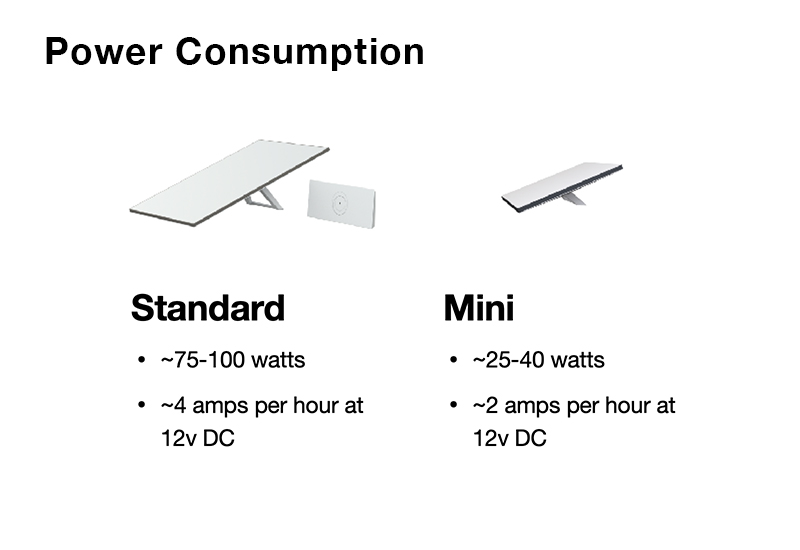
The Starlink Standard uses about 48 watts per hour, while the Mini uses just 24 watts per hour. A 150-watt solar panel getting moderate sunlight is plenty to power either dish. I like to use my Starlink on the sun’s schedule.
Starlink Standard is powered using AC, which is much less efficient than DC power. You can buy a DC-to-DC Power Adapter for $110 that lets you connect directly to a 12-volt or 48-volt DC source.
The Starlink Mini is a DC-powered system, accepting 12-volts to 48-volts, with an optional AC power converter. Starlink sells a Mini Car Adapter Kit for $45 that includes a cigarette lighter adapter and a common USB-C power cable. However, if you need more than fifty feet of cable, a higher voltage is required due to voltage drop. I recommend a Victron Orion 12-volt to 24-volt, 5-amp step-up converter to increase your voltage or using a standalone battery pack.
Whether you keep it simple with a portable power bank or tie directly into your camper batteries, there are multiple ways to power your Starlink while camping off-grid.
How do users monitor their data usage and satellite connection?
The Starlink App is the best way to see all the information you need to manage your data and billing. You see everything in real time—current use, daily use, monthly use—and can manage your data plan all in one place.
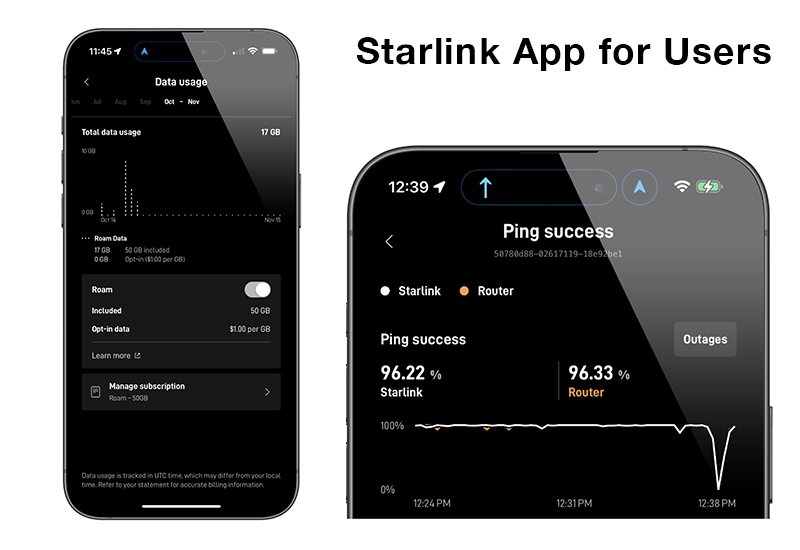
Another helpful feature on the app is “Ping Success.” This indicates how strong your satellite connection is and if your dish and router are communicating properly. If I’m dealing with obstructions like trees or rocks, I use Ping Success to find the best connection, reorienting my Starlink as needed.
What do you recommend for mounting a Starlink dish?
I found using a tripod is the best solution for setting up a Starlink dish at camp or other temporary situations. When the dish is mounted on the tripod, it’s off the ground to protect it from accidental damage, and I can position it to get the clearest view of the sky for a strong, reliable connection. That’s why I started making 3D-printed mounts for quick setup. This is by far my preferred method.
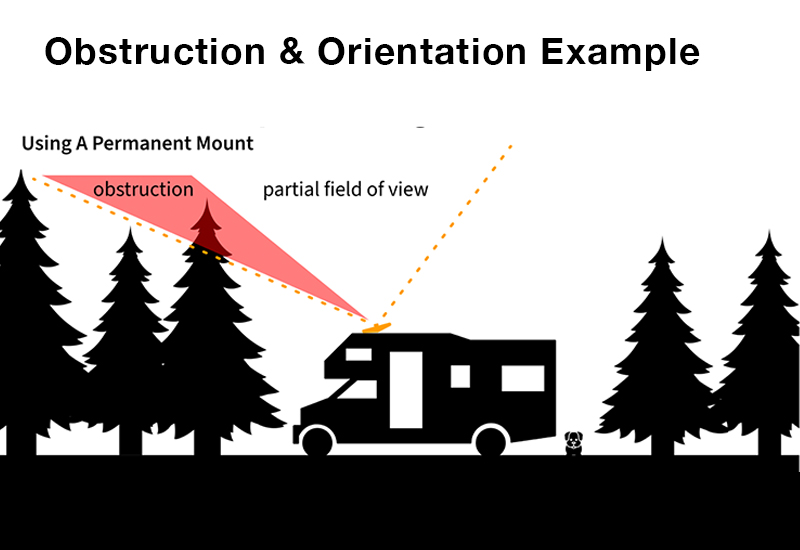
I also like having my Starlink mounted on the roof of my camper, especially for in-motion use, though there are drawbacks. Say it’s 90 degrees outside and you want to park under a group of trees, you would be blocking your dish from a clear connection.
How do you use a Starlink while driving if it’s not mounted to the roof?
A quick and easy hack is setting up the dish on your dashboard. I would only recommend this with the Starlink Mini due to its size and simple setup, but it works! We use the Starlink Mini Car Adapter Kit in the cab plugged into one of our DC barrel outlets, and it gives us a full-speed connection as long as we aren’t going through canyons or tree-covered roads.
Starlink makes a great crossbar mount, along with other in-motion mounts for the roof of your camper. A roof mount will require drilling a hole and running a power cable into your camper. It all comes down to how you camp and what you’re willing to do. I say there are two kinds of people: those who will drill holes into their camper and those who won’t. For those who are interested in hardwiring their Starlink, I have a YouTube video of my installation (see below).
We would only drill into our camper roof if there were no better option. How well does Starlink work while driving?
I’ve found that Starlink works very well while traveling on multi-lane highways. Underpasses, tunnels, and gas station canopies will cause some momentary blips. Other than that, the connection is reliable.
On single-lane roads or in deep valleys, it’s less reliable. The quality of the connection depends on how frequently the dish is blocked by obstructions.
Are both the Starlink Standard and Mini waterproof?
Yes, both the Standard and Mini dishes are rated at or above IP56, meaning they are dust-protected and can handle heavy rain and intense cleaning.
Starlink even has a melting feature to keep the dish clear of snow buildup. The Standard can melt one and a half inches of snow per hour, and the Mini can melt an inch per hour.
Starlink has a built-in snow-melting feature? Too cool! What is Bantha Overland?
My wife and I have been long-time adventure travelers ever since our tent camping days. After getting our truck camper in 2018 and discovering dirt roads and dispersed camping, we wanted to spend more of our time out there. Hopefully, with some friends, new or old, enjoying time around a campfire. We’ve been able to experience and learn so much, but often the hard way. BanthaOverland.com is our way to share what we’ve learned and hopefully help others get out there more often, too.
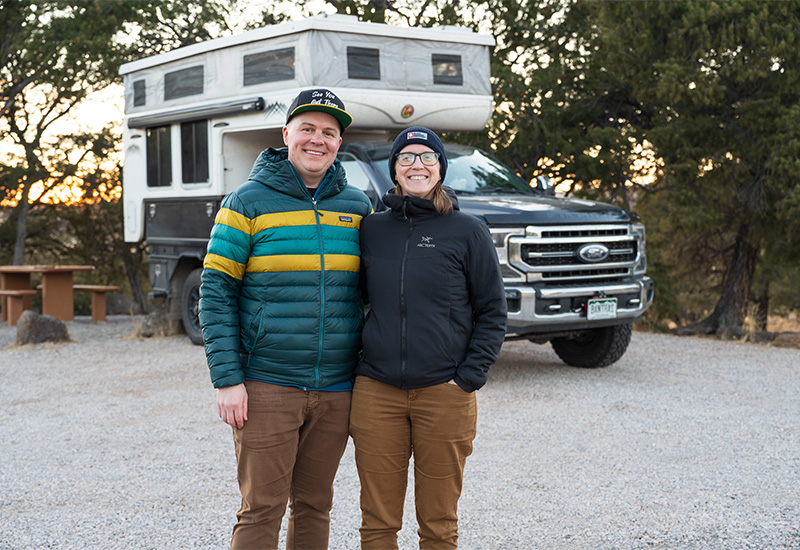
When searching for a name, we chose Bantha Overland based on the famed banthas of the Star Wars universe. These large lumbering desert creatures can go almost anywhere, albeit sometimes a bit grumpily. It felt like a fit for an 11,000-pound truck camping rig that often wanders in remote places.
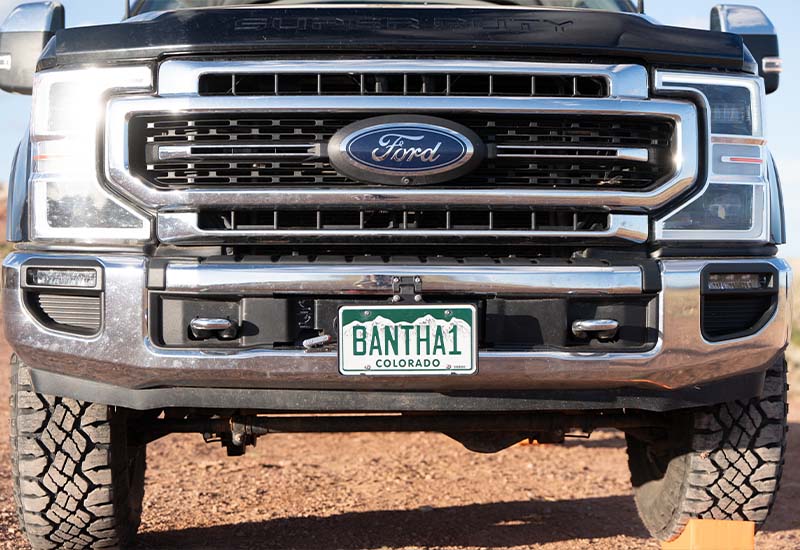
Our success metric is: are we helping people experience something new? If we can get them out there for one more night around the campfire, that’s a win for us. So many people have helped us along our journey. This is our way of paying it forward.
You’re clearly someone who appreciates a fine-tuned setup. What truck and camper do you have?
We have a 2021 Ford F-350 and a 2018 Hallmark Guanella and absolutely love our rig. We like to go far off the pavement and have found this setup to be a great mix of comfort and capability. We can usually do any trail that onX Offroad rates between one and five in difficulty. We can always turn around if needed. Sometimes we’re too big. Sometimes we’d like a little more space. But mostly it’s the perfect size. It’s home.
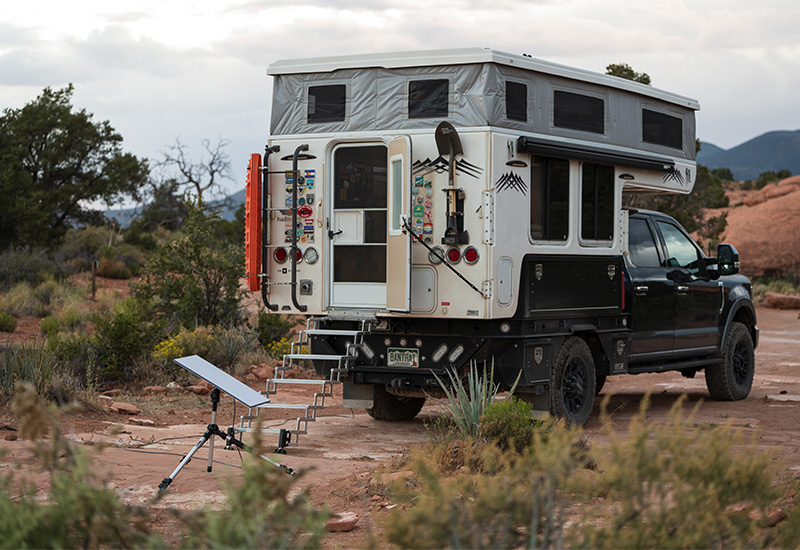
When you’re eighty miles off pavement with hot water, a shower, and a toilet, it’s pretty okay. [Laughs]
How often are you traveling nowadays?
My wife and I have really leaned into the idea of going further for longer, mixing work and play. We travel for three to four months each year. While on the road, we generally mix in taking vacation time with remote work.
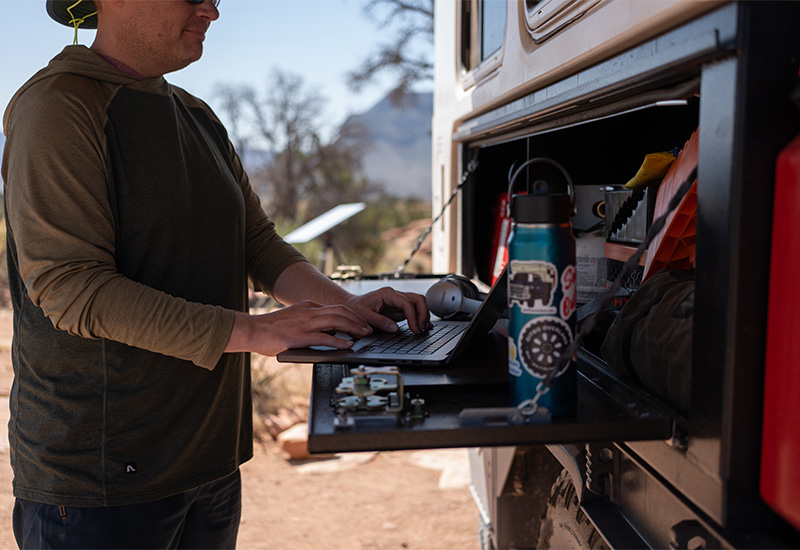
What that generally looks like is taking a couple of days off around the weekends, then settling into a place for a few days to work remotely. Starlink has given us the option to get out while staying connected with confidence. It’s pretty magical how it works—much better than I even expected it could.
Are you still able to unwind from work and social media when out camping?
The best feature of Starlink is having an on/off switch. We came up with a thing called “internet hour.” We make a list of what we need to do online—send an email, check in with family over text, download a map for tomorrow—and use the hour to accomplish those tasks. We set a timer and turn it off when we’re done.
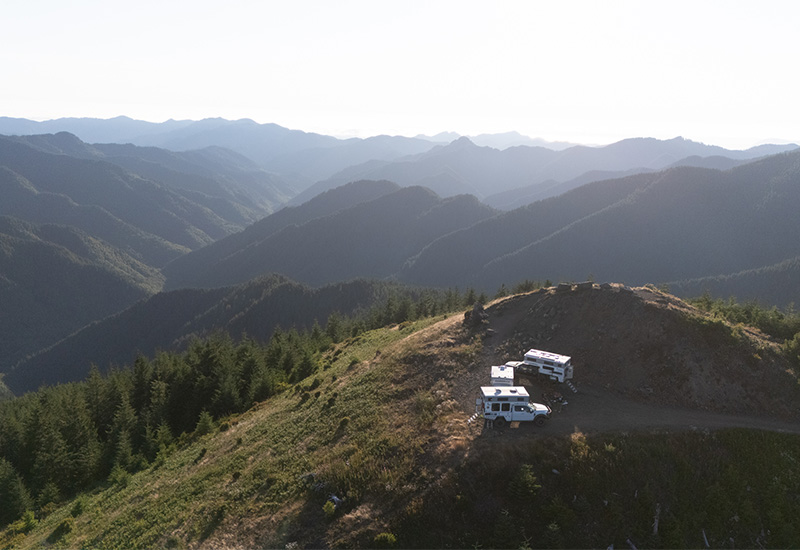
The line can be a little blurred when we have to work full days. We try our best to be intentional and enjoy the outdoors in the mornings, evenings, and during lunch breaks.
For someone who is still on the fence about Starlink, what would you want them to know?
It’s just a tool. You decide how you want to use it. It can be used only for emergencies, or you can live-stream the Super Bowl in 4K. We’ve done both. Neither is right or wrong, it’s up to you.
How can others follow along on your journeys and Starlink advice?
We frequently post via our blog, YouTube, and Instagram. Also, check out our Starlink mounts and accessories in our store.
Adam and Val’s Rig:
Truck: 2021 Ford F-350
Camper: 2018 Hallmark Guanella